A PNG file is not automatically transparent.
Many images have white, black or baked-in backgrounds hiding in the pixels.
RemoveWhite removes those pixels and exports a clean transparent PNG or WebP.
Make white or black pixels transparent instantly
Drop your image here+ your own image · PNG · JPG · WebP · HEIC
instant result after drop/real transparency in PNG or WebP/no upload to any server/browser-based pixel tool
Why your PNG might not be transparent
01
White background baked in
Many images — logos, AI-generated graphics, scans — are saved as PNG but with a solid white background in the pixels. The file format supports transparency, but the image does not use it.
02
Black background instead
Some graphics, screenshots or exported designs come with a black background. Switch RemoveWhite to Remove Black mode and it removes near-black pixels instead.
03
Fake checkerboard transparency
AI image tools sometimes render a grey-white checkerboard pattern directly into the pixels. That is not real transparency — it is a baked-in background that needs to be removed.
How it works
01
Drop your image
PNG, JPG, WebP or HEIC. The tool works on any image with white, off-white or black background pixels.
02
Adjust if needed
Threshold controls how far from white (or black) a pixel needs to be before it is kept. Edge Shrink cleans up faint halos. Feather softens the edge.
03
Download your transparent PNG
Export as transparent PNG or WebP. The background pixels are gone — real transparency, no white box.
What you can use it for
Logos with white box
Remove the white background from a logo file and get a clean transparent PNG ready for any layout.
AI-generated graphics
Fix AI images with white backgrounds or baked-in checkerboard patterns that look transparent but are not.
Scanned drawings
Remove white paper from scanned or photographed line art and export as a real transparent image.
Signatures
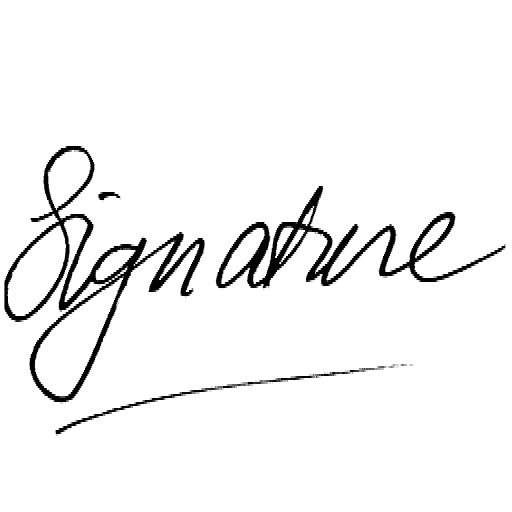
Make a scanned signature transparent for use in documents, PDFs and email footers.
Web assets
Create transparent icons, badges and illustrations that sit cleanly on any background color.
Product images
Remove plain white or black studio backgrounds from product photos for ecommerce use.
Print and stickers
Export transparent artwork for sticker sheets, print-on-demand or packaging mockups.
App icons & UI
Clean up icons and UI graphics that have baked-in white or grey backgrounds.
Your images stay yours
Nothing uploaded — everYour images never leave your device. All processing runs in your browser.
No AI, no guessingPure pixel math. The tool removes pixels by color value — no subject detection, no surprises.
No account, no passwordDrop your image, download your PNG. Access links come by email — no login needed.
Secure checkout via Stripe · Prices shown in your local currency · All major cards accepted
Common questions
Why does my PNG still have a white background?
PNG supports transparency, but the image itself can still have white pixels in the background. RemoveWhite removes those white or near-white pixels so the background becomes actually transparent.
What is a transparent PNG exactly?
A transparent PNG uses an alpha channel — a fourth channel per pixel that controls opacity. Pixels with zero opacity are invisible. A white pixel is not transparent; it is white. RemoveWhite converts white or near-white pixels to transparent ones.
My image has a checkerboard pattern — is that transparency?
No. Some AI tools render a grey-white checkerboard directly into the pixels to suggest transparency, but it is not real. It is a background pattern baked into the image. You can remove it with RemoveWhite.
Can I remove a black background instead of white?
Yes. Switch to Remove Black mode in the tool. It removes near-black pixels and keeps everything else.
Will the tool affect colors inside my image?
RemoveWhite removes pixels by brightness value, not by position. If parts of your subject contain white or near-white pixels, those may become transparent too. Use the Threshold slider to control exactly how aggressive the removal is.
Is there a subscription?
No. Day pass (€3.99, 24 hours) or year pass (€39.99, 365 days). No auto-renewal, ever.