no photoshop needed your lines stay sharp

White to
transparent

Turn white and near-white pixels into real transparency. Drop your image and download a transparent PNG or WebP. No upload, no AI, no Photoshop needed.

Processed in your browser No server upload No AI guessing Transparent PNG export Preview for free

Make white or black pixels transparent instantly

Drop your image here + your own image · PNG · JPG · WebP · HEIC

White to transparent means converting actual white pixels into transparent pixels. RemoveWhite does this directly in your browser, without uploading your image or using AI. It works well for logos, drawings, scans, signatures, icons and line art with a white or near-white background.

White is not transparency

A PNG can look like it has a transparent background, but still contain white pixels. When you place it on a colored background, the white box appears.

RemoveWhite converts those white or near-white pixels into real transparency, so the image can sit on any background without showing a white rectangle.

White background converted to transparency using RemoveWhite
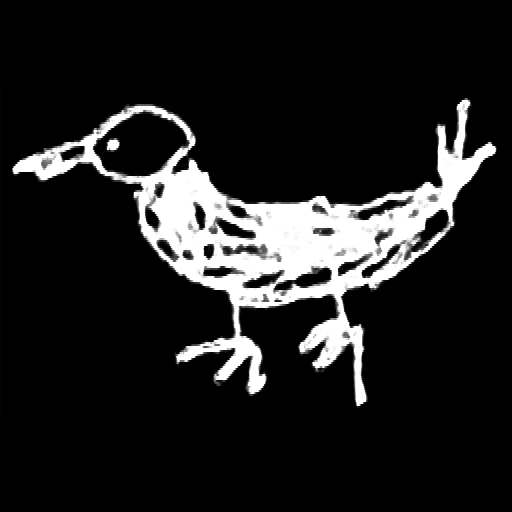
before Image with white background
Image with white background before converting to transparent
after: white pixels transparent Same image, no white box.
Transparent image on blue background Transparent image on yellow background Transparent image on dark background
01
Drop your image

Use a PNG, JPG, WebP or HEIC with a white or near-white background.

02
White becomes transparent

Adjust Threshold for off-white or grey pixels. Feather and Edge Shrink clean up edges.

03
Download a transparent PNG

Export as PNG or WebP, ready for documents, websites, design tools and print.

Logos

Convert the white box around a logo into transparency.
Drawings

Turn white paper around line art into transparent pixels.

Signatures

Make scanned signatures work on documents and colored backgrounds.
Scans

Remove off-white paper from scanned images and notes.
Icons

Fix icons and graphics with unwanted white pixels.
Web assets

Create transparent PNGs for websites, slides and social posts.
Privacy is king - no uploads, processed in browser

Your images
stay yours

Nothing uploaded — everYour image is processed in your browser. It never leaves your device.
No AI, no subject detectionRemoveWhite converts white pixels to transparency based on brightness values, not AI.
Control the resultUse Threshold, Feather and Edge Shrink to fine-tune which pixels become transparent.
No account, no passwordDrop your image, download your PNG. Access links come by email - no login needed.
Best value
For regular use
Year pass
€39.99 per year
≈ €3.33 / month
  • Download without the watermark
  • Unlimited downloads, all year
  • 365 days from first use
  • Expires automatically, no auto-renewal
  • Access link by email, no login needed
Get year pass →
For a single project
Day pass
€3.99 watermark-free downloads
for 24 hours
  • Download without the watermark
  • Unlimited downloads for 24 hours
  • Access link by email, no login
Get day pass →

Secure checkout via Stripe · Prices shown in your local currency · All major cards accepted

How do I convert white to transparent?
Drop your image into RemoveWhite. The tool converts white and near-white pixels to transparency in your browser and lets you download a transparent PNG.
Does it work with off-white pixels?
Yes. Use the Threshold slider to include grey, beige and near-white pixels.
Can I use this for logos?
Yes. If your logo has a white background, RemoveWhite can convert those white pixels to transparency.
Is this an AI background remover?
No. RemoveWhite converts white pixels to transparency based on brightness values, not AI subject detection.
Will my image be uploaded?
No. Everything runs in your browser. Your image is not uploaded to our servers.
Is there a subscription?
No. Day pass (€3.99, 24 hours) or year pass (€39.99, 365 days). No auto-renewal, ever.

Draw on paper. Then use the toolkit.

Popular ways to use RemoveWhite

View all tools and use cases →